Online Bill Pay
Water and sewer bills may now be paid online.
To log in to your account, go to https://pay.waterbill.com
To register a new account or to link water and sewer accounts to one login, see below for step-by-step instructions.
Customer Portal Advantages:
- Never miss a bill. Get email notifications as soon as a new bill is issued. Sign up for paperless billing. View water and sewer bills with one online account.
- Never miss a payment. Set up Automatic Payments or make a one-time payment. Customers signed up for autopay will have the TOTAL BALANCE DUE displayed on their portal dashboard withdrawn from their selected payment source on the due date of your bill.
- Track water consumption overtime. Your online account will give access to your water consumption history overtime. You’ll also be able to access your billing history and invoices through your customer portal.
Payments are still accepted by mail or in person at our office Monday-Thursday 8:00 am-3:30 pm.
If you have any issues creating an online account, we are happy to help! Call our office at 518-237-0422.

Online Account Registration Guide
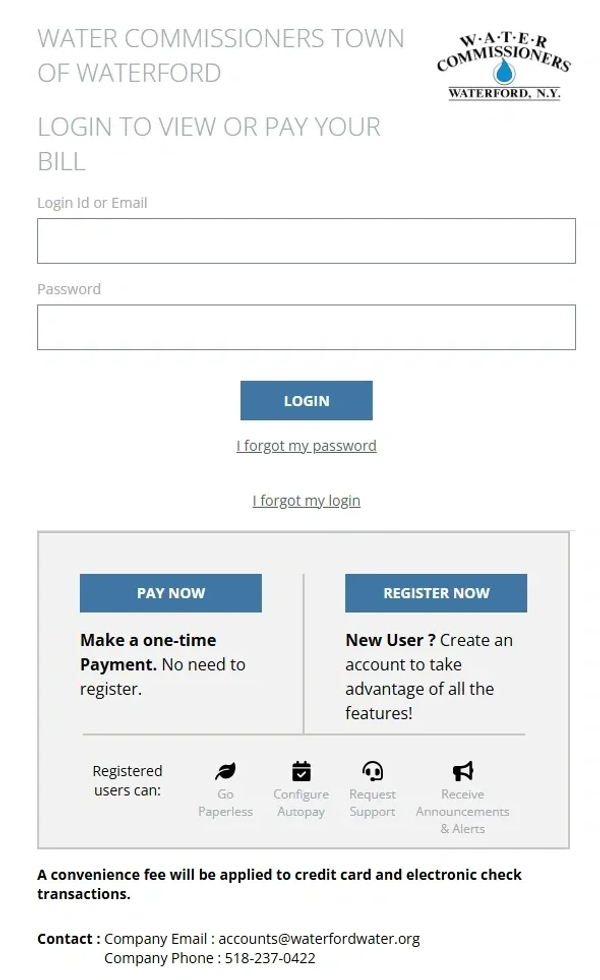
Registering a New Account
To register a new water account, go to https://pay.waterbill.com/loginwaterford-wtr
To register a new sewer account, go to https://pay.waterbill.com/loginwaterford-swr
Once registered, water or sewer bills can be reached through either of the links above or by going to pay.waterbill.com. Water and sewer accounts can be linked to one login once you have registered an account.
In addition to adding water and sewer accounts to one login, additional accounts may be added if you own multiple properties or units. See the Add Another Account section below for instructions.
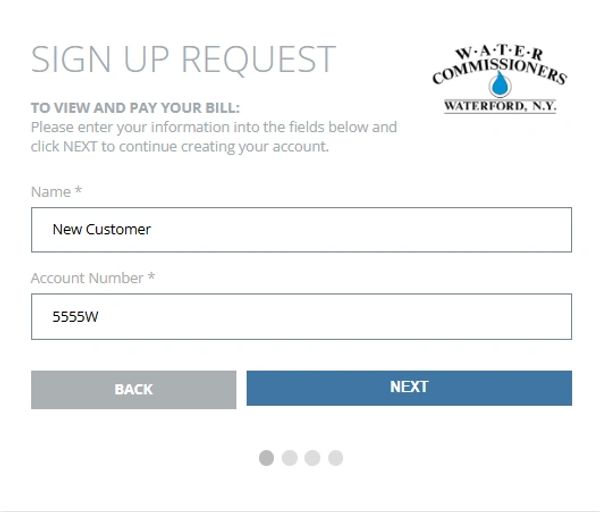
Registering a New Account
Each account number has either a "W" for water or "S" for sewer. Be sure to choose either the water or sewer registration page (links above) for the account you would like to register first. Click the register now button, then enter your name and account number.
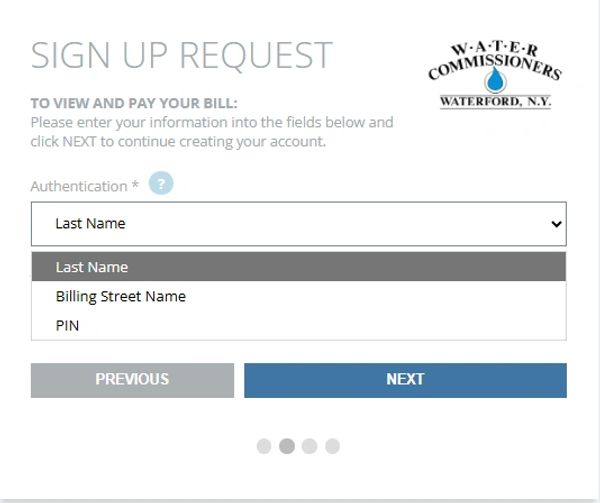
Account Authentication
To verify your account information, you may use the following options:
Last name: This is the last name exactly as it appears on your bill. If your first name appears after your last name on your bill, use your first name.
Billing Street Name: This is the mailing address used for your bill and is only the street name as it appears on your bill. For example, if your mailing address on your bill is 127 Second Street, enter "Second" only.
PIN: This is found in the first bill emailed to you at the bottom of the notification email.
Click the drop-down menu to choose your verification method, enter your answer, and click next.
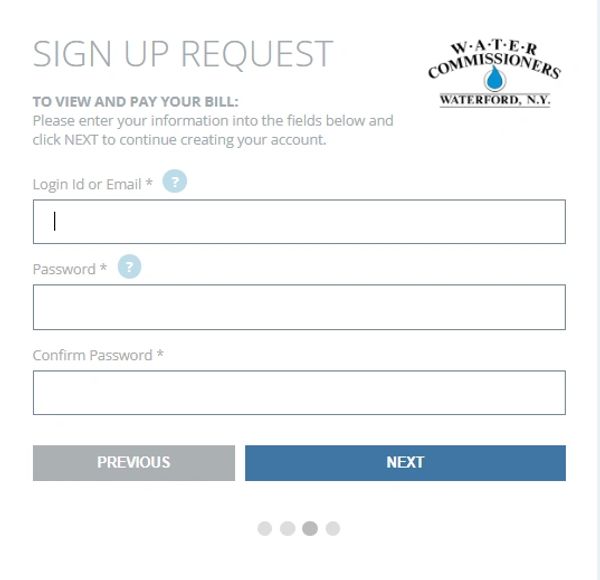
Account Login
Choose your login information. This can be a user ID or an email. If you receive an error message with your email address, enter a username instead and then create a password. This information can be changed or updated once you've activated your account.
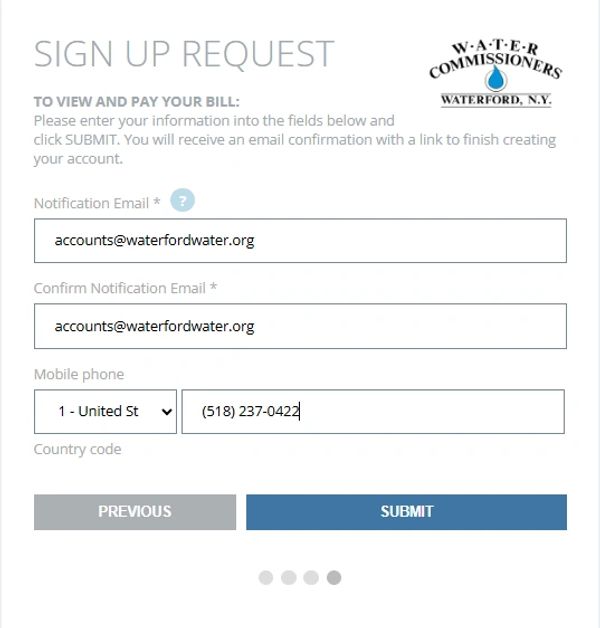
Contact Information
Next, enter the email address you'd like your bill notifications to be sent to. When a new bill is issued you will receive an email on the first day of the month. You will still receive a paper copy of your bill in the mail unless you enroll in paperless billing in your online account.
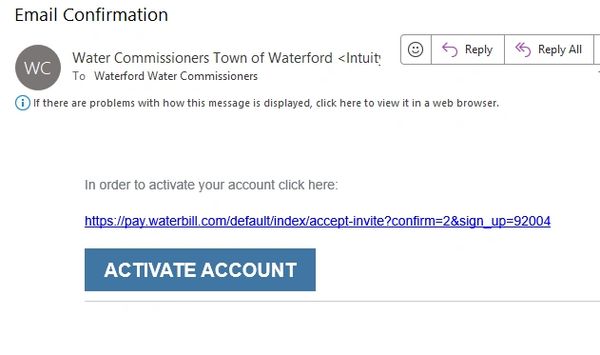
Email Verification
Now that you've entered your account information, go to your email to activate your account. Click the activate account button and you will be taken to your new online account.
.png/:/rs=w:600,cg:true,m)
Add Another Account
Now that you've set up your login information for your first account, you can link other accounts to your login to view them all in one place. Click on the account name button in the upper right-hand corner of the screen and then click Add another account in the drop-down menu.
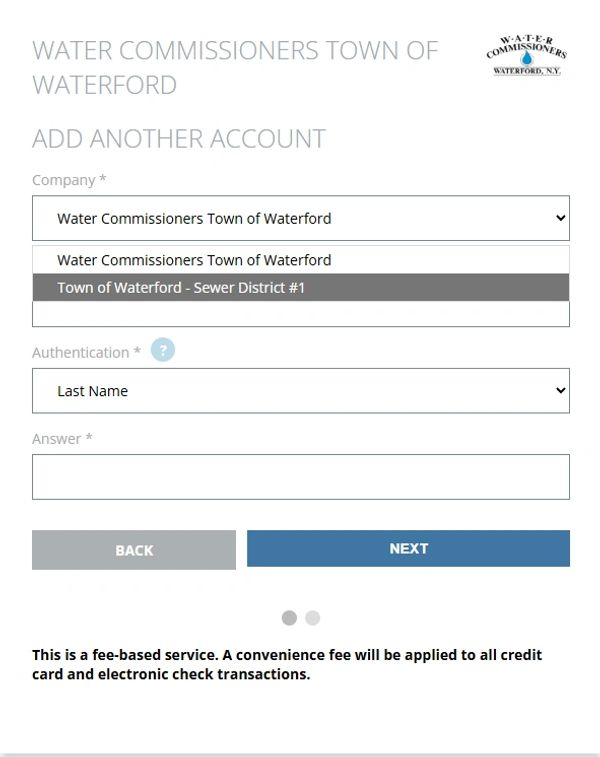
Add Another Account
Now you'll verify the account information for the next account, just as before. Be sure to choose either water or sewer from the drop-down menu to match the next account you would like to add. You can again verify using last name, billing street name, or the PIN you received with an emailed bill.
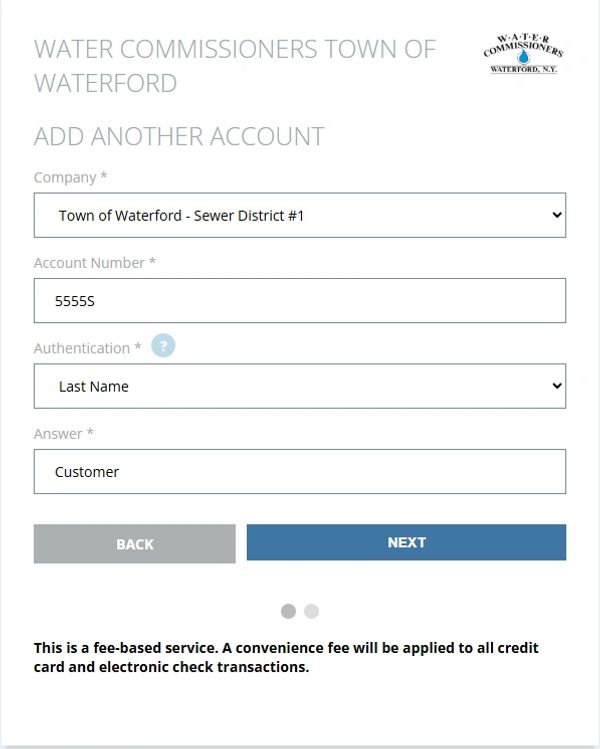
Add Another Account
Verify the account using the information as it appears on your bill. Next, you'll enter the notification email you'd like to use for your bill notifications. This can be changed at any time under your account settings or under manage your account.
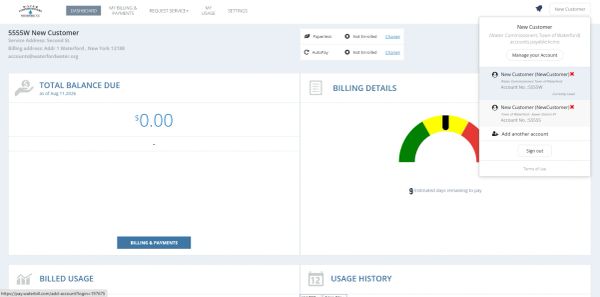
Switching Between Accounts
After entering your notification email, you will be brought back to your main account page. To switch between accounts, click the account name button again, now see your water and sewer accounts in the drop-down menu. Click on the account you would like to view. After the accounts are linked, you can use a single login to view or pay multiple water or sewer bills.